
Published: 15 January 2026 | Last updated: 20 February 2026
This guide was prepared by the travel documentation team at our portal, who have processed over 500 visa applications for Suriname in 2025-2026.
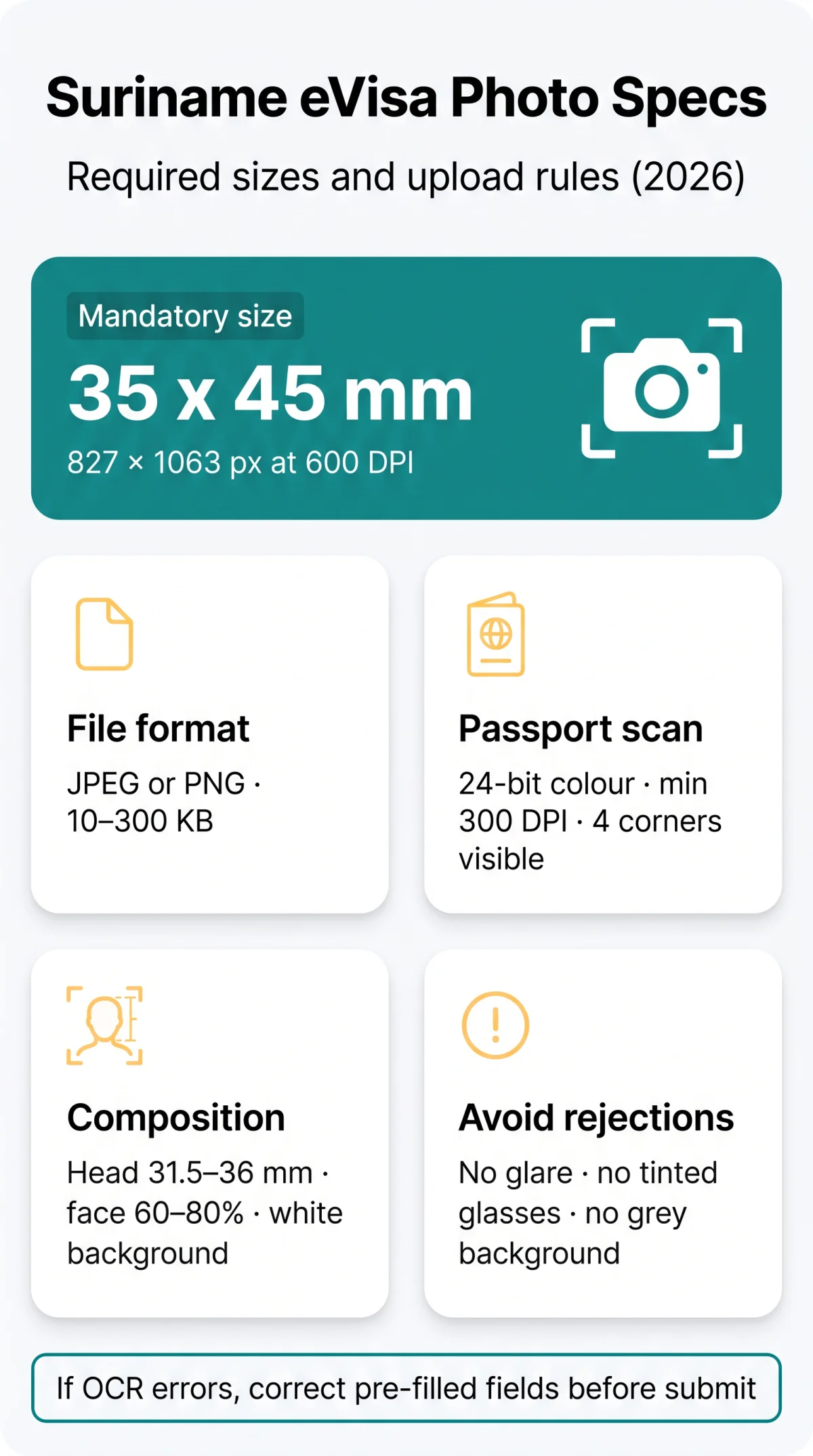
The exact Suriname eVisa photo size is 35 x 45 mm (7:9 ratio), which translates to 827 x 1063 pixels at 600 DPI. Applications in 2026 require a digital upload in JPEG or PNG format with a plain white background and a file size between 10 KB and 300 KB. Applicants must also provide a passport bio page scan for the OCR system in 24-bit colour at a minimum resolution of 300 DPI, ensuring the Machine Readable Zone is fully visible without glare. The digital Suriname eVisa enforces a 7:9 ratio (35×45 mm), replacing the legacy 2×2 inch paper standard.
Suriname eVisa Photo Size & Digital Upload Specs for 2026
According to the official Suriname eVisa platform at https:// the mandatory Suriname eVisa photo size is exactly 35 x 45 mm (827 x 1063 pixels at 600 DPI or 413 x 531 pixels at 300 DPI). Upload images in JPEG or PNG (10-300 KB). Digital guidelines differ from outdated paper standards. Use the free online crop tool at https:// to automatically adjust your photo to 35×45 mm at 600 DPI, in line with official requirements.
| Parameter | Digital Upload (2026 Standard) | Legacy Embassy Submission |
|---|---|---|
| Dimensions | 35 x 45 mm | 2 x 2 inches |
| File Format | JPEG, PNG | Physical paper print |
| File Size | 10 KB to 300 KB | Not applicable |
Passport Bio Page Scan Requirements for the OCR System
The Suriname eVisa OCR system requires a 24-bit colour scan in JPEG or PNG format at a minimum of 300 DPI. All four passport bio page corners must be visible. Grayscale is rejected. The file size must remain between 10 KB and 300 KB.
Avoiding OCR Errors: MRZ Clearance & Glare Prevention
To prevent processing failures during the Suriname eVisa application, scan without flash, keep the Machine Readable Zone (MRZ) entirely clear, and avoid fingers on the bottom two lines.
Scan without flash
Avoid glare on the bio page
Keep MRZ clear
Machine Readable Zone fully unobstructed
Keep fingers away
Avoid contact with bottom two MRZ lines
What If the OCR System Misreads Your Passport Data?
If the automated system extracts incorrect characters from the passport scan, you must manually override the errors. Correct all pre-filled fields using the portal inline editing function before final submission. If you encounter persistent technical issues with the eVisa website, try switching browsers or clearing your cache.
Background, Lighting & Facial Positioning Guidelines
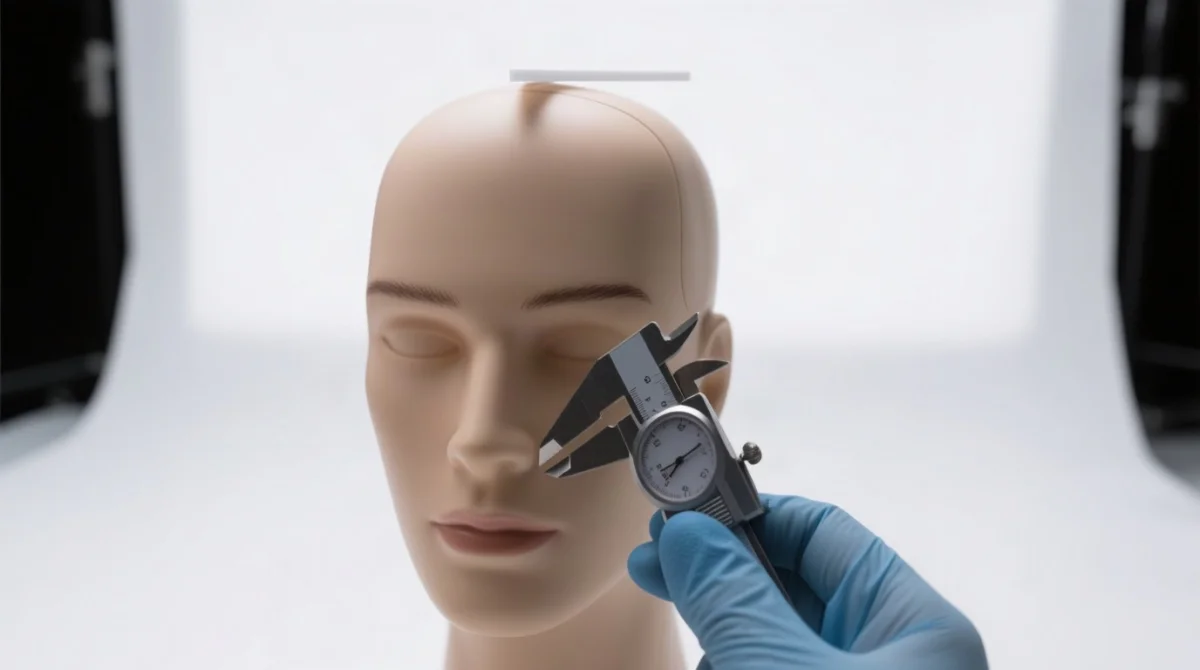
Use a plain white background, even lighting, and head height 31.5-36 mm for your Suriname eVisa photo.
- Background: A plain white background is mandatory; light grey is rejected by the digital OCR processing system.
- Lighting: Ensure even lighting with absolutely no shadows cast on the face or the background.
- Positioning: As stated in the Suriname Ministry of Foreign Affairs document ‘Digital Photo & Passport Scan Standards (2026)’, head height must be 31.5-36 mm from chin to crown. The face must cover 60-80% of the total photo area, leaving a minimum 3 mm top margin.
- Expression: The Suriname eVisa digital passport photo specifications require a strict neutral expression with the mouth closed and eyes fully open, looking directly at the camera.
Top Reasons Your Suriname eVisa Photo Gets Rejected
- Eyewear glare: Clear glasses are allowed only with zero glare; tinted lenses are prohibited.
- Prohibited headwear: Banned except for religious reasons where the full face is visible.
- Outdated images: The Suriname eVisa photo specifications require images taken within the last 6 months.
- Infant posture: Infants under 1 year can be photographed lying on a white sheet.
Avoiding these errors ensures your Suriname eVisa application proceeds without delays. For a broader overview of common rejection reasons and how to fix them, see our dedicated guide.
Frequently Asked Questions (FAQ)
What is the exact Suriname eVisa photo size in pixels?
The exact Suriname eVisa photo size in pixels is 827 x 1063 pixels at 600 DPI, or 413 x 531 pixels at 300 DPI for a 2026 application.
Can I use a 2×2 inch photo for the Suriname eVisa?
No. The 2×2 inch size is an outdated legacy paper standard. The digital Suriname eVisa strictly requires a 35 x 45 mm image (7:9 aspect ratio).
What file format is required for the digital photo size upload?
Your digital photo size upload must be in JPEG or PNG format, with a file size strictly between 10 KB and 300 KB.
How do I check if my passport bio page scan passes OCR requirements?
Ensure the scan is in 24-bit colour at a minimum of 300 DPI. All four corners must be visible, and the Machine Readable Zone must be free of glare or obstructions.
Are glasses allowed in the Suriname eVisa photograph?
Clear prescription glasses are permitted only with zero lens glare. Sunglasses and tinted lenses are strictly prohibited.
What are the photo resolution and DPI requirements?
The recommended resolution for the Suriname eVisa is 600 DPI (827 x 1063 pixels). The minimum accepted resolution is 300 DPI (413 x 531 pixels).
How recent must my Suriname eVisa photo be?
Your Suriname eVisa photo must be taken within the last six months from your 2026 application date, with no digital alterations.
What are the photo rules for infants and children under ten?
Infants under one year can be photographed lying on a plain white sheet (eyes do not have to be open). Children under ten must appear completely alone in the frame without visible supports.